Dashboard
Subscriber growth, views, and your top-performing video — read in seconds, not spreadsheets. Rearrange the tiles to lay it out your way; Pro adds your own tracked creators and competitors.
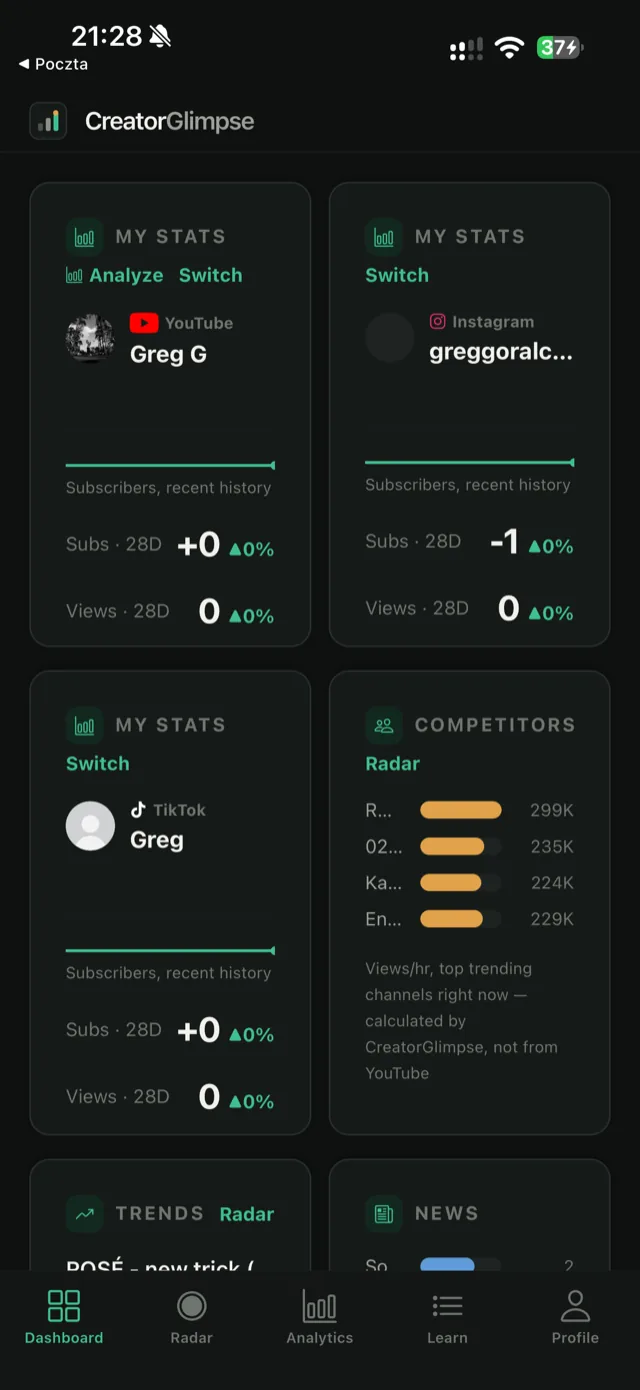
CreatorGlimpse merges YouTube, TikTok, and Instagram analytics with bite-sized coaching, so every stat comes with the lesson to act on it — instead of three separate subscriptions and a lot of guessing.
Download on theApp StoreFree to start. No credit card required.
Your whole creator career.
One Glimpse.
Most creators end up paying for an analytics tool, a coaching product, and a spreadsheet to track everything the first two don't cover. CreatorGlimpse replaces all three.
Subscriber growth, views, and your top-performing video — read in seconds, not spreadsheets. Rearrange the tiles to lay it out your way; Pro adds your own tracked creators and competitors.
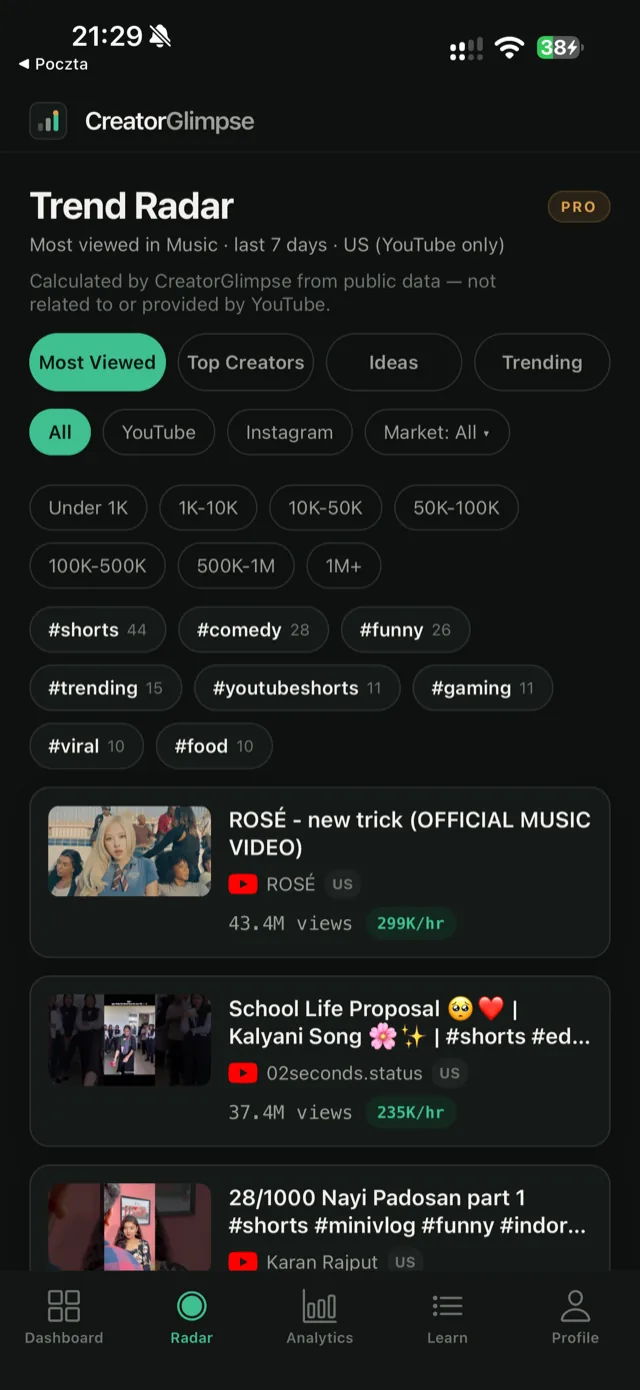
See which videos and posts in your niche — across YouTube and Instagram — are outperforming the average, before the trend cools off. Filter by subscriber size and market so you're only compared against creators actually your scale.
Retention curves, traffic sources, a Content Gap Finder that flags what your competitors cover and you don't, and a media kit rate calculator — split by platform.
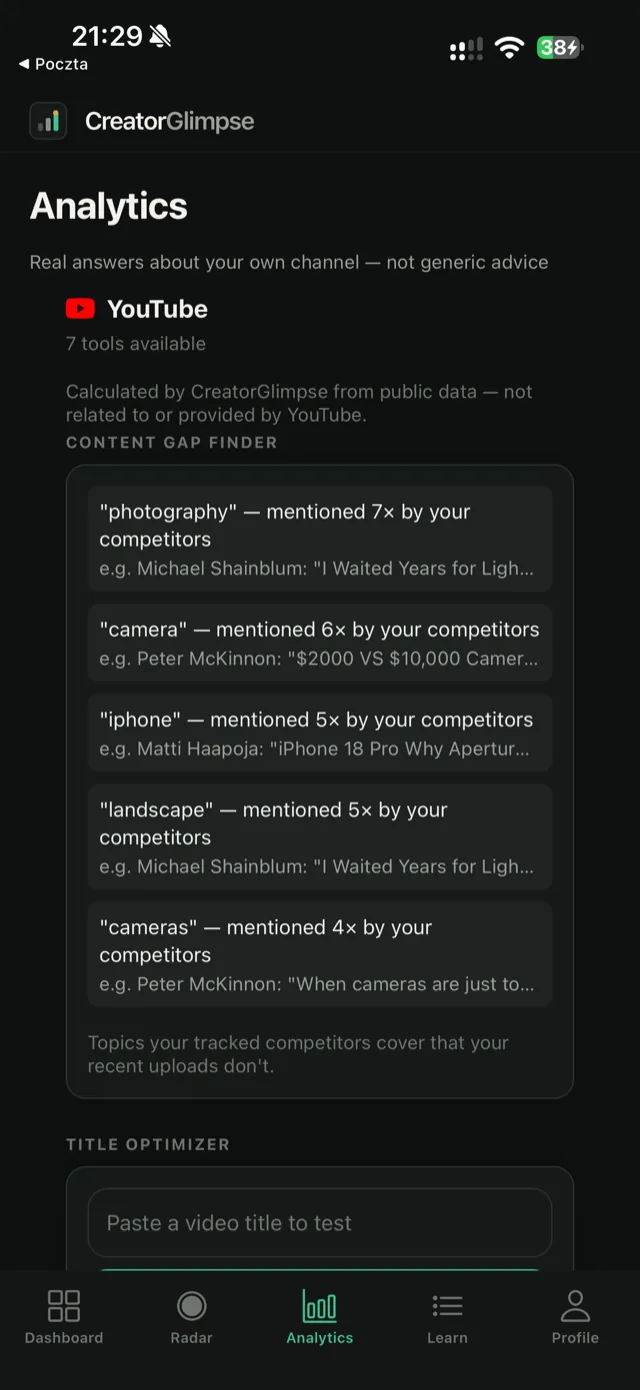
Content Gap Finder, Trend Acceleration, Traffic Sources, view velocity, and media kit estimates are calculated by CreatorGlimpse from public data — not related to, provided by, or endorsed by YouTube.
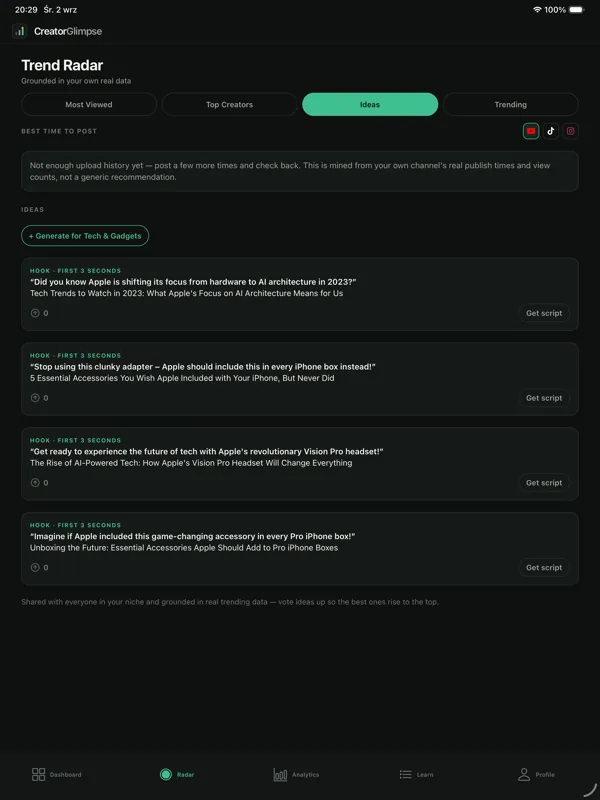
AI-assisted video ideas and hooks for your niche, votable by the community, with a script assistant when you're ready to film.
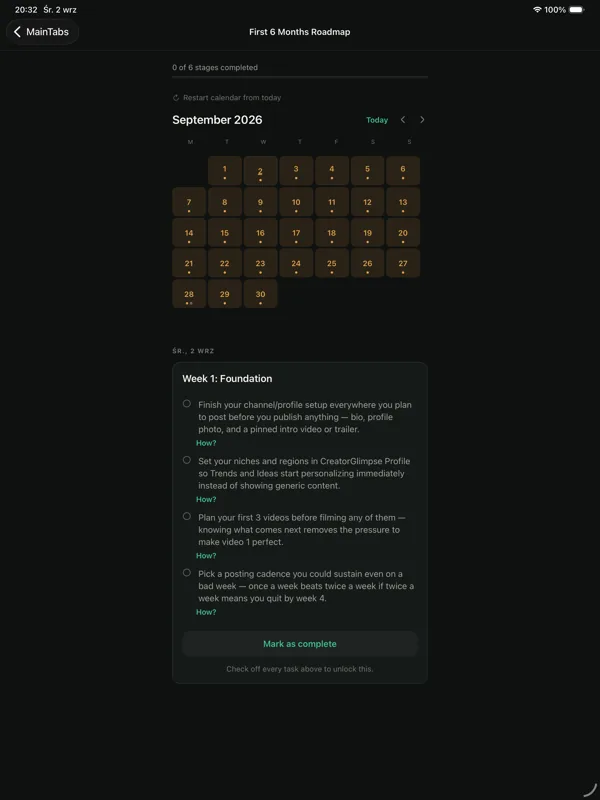
Short, practical lessons on thumbnails, SEO, retention, and monetization — tied directly to your own stats, plus a day-by-day roadmap for your first 6 months.
One universal app — install once, use on either. Requires iOS 16.4 or later.
YouTube itself recently retired its own global "Trending" page, replacing it with narrower, category-specific charts — a sign that raw virality alone doesn't serve smaller creators well. Trend Radar is built around that same idea.
Newer or smaller creators rarely surface in YouTube's own trending or recommended sections, and the platform has no native tool for finding channels actually your size. Comparing yourself to a 10M-subscriber outlier isn't competitive research — it's just noise.
Subscriber count alone is a weak signal — what actually got watched recently matters more than accumulated followers. Trend Radar ranks by real, recent view performance within your niche, then lets you filter to creators in your own subscriber bracket and market, instead of one global list dominated by whoever's currently viral.
Every few hours, Trend Radar pulls fresh video and channel data for your niche, tags each channel's subscriber count and declared market, and re-ranks the whole pool by real views this week — not by the kind of platform-wide "trending" that only mega-channels ever reach.
Track growth across every platform you post to, without switching apps mid-scroll.
One dashboard for the accounts you manage, split cleanly by platform and channel.
Learn the "why" behind your numbers with lessons tied to your own stats, not generic advice.
Monthly shown below — annual billing gets you 12 months for the price of 10.
$0
$7.99/mo
$17.99/mo
YouTube, TikTok, and Instagram — each connected through that platform's own official API, so we only ever see what you've authorized.
A Creator or Business Instagram account (not a personal one) linked to a Facebook Page — Instagram only shares analytics with apps through that link, so you sign in with Facebook during the connection. In the Instagram app, go to Settings and activity → Account type and tools → Switch to professional account, then link the account to a Page from Edit profile. We only read analytics and never post or comment.
On the Facebook screen that appears, tap Edit settings if it offers to continue with your previous choices, then choose "Only current Pages" (not "all current and future") and tick only the Page linked to the Instagram account you want. To switch later, open Profile, tap Remove next to the Instagram account, and connect again with a different Page ticked. Which Instagram account a Page is linked to is set in Meta's own settings (Instagram → Edit profile → Page).
Pro includes one channel per platform; Pro Max includes up to three per platform (nine in total); Free includes one connected channel in total. On a plan with room left, open Profile, tap Connect for that platform again and pick the other account on the platform's own sign-in screen — for Instagram, tick a different Page; for YouTube, choose the other channel; for TikTok, sign in with the other account. On a full plan, remove a channel first to swap it.
Not yet — we're launching on iOS first. Android is on the roadmap.
Yes — CreatorGlimpse is a universal app, one download that works on both. It requires iOS 16.4 or later. Trend Radar, Analytics, and Learn adapt their layout on iPad's larger screen.
In the app, open Profile and tap Delete account — it removes your account, your connected channels and your progress right away (ideas you generated stay in the shared pool, without your name). Disconnecting a single channel from Profile also removes that channel's stored access and cached stats. You can also email privacy@creatorglimpse.com.
No. We only use your connected channel's data to power your own dashboard and recommendations.
We read every email ourselves — no ticket queue, no bot.
Email hello@creatorglimpse.com